




Do you ever feel like you suffer from prompt anxiety? It’s like social anxiety but instead you replace the social part with an AI chat bot. You feel that pressure of having to come up with the perfect prompt to make sure you get just the right response. The way I deal with prompt pressure is through automation, scheduling, and techniques where AI is still doing the heavy lifting, but doesn’t require me to shift my mindset from the task at hand.
For this project, we are going to take advantage of Security Copilot Promptbooks. These are collections of multi-stage prompts that take a standard single input to accomplish very complex tasks. We will focus on a Microsoft Promptbook that:
- Reads the contents of a threat intel site (example here).
- Extracts the threat indicators.
- Research those indicators in Microsoft Defender Threat Intel.
- Constructs and executes threat hunts in your environment.

This is great by itself, but how can we make it way faster and easier to use?
Two ways:
- Use a Chrome plugin to make it so you don’t need to switch browser tabs
- Bring the results back to your entire team via Microsoft Teams Channels
We will make all this possible by using an Azure Logic App with connectors (most notably, the new Security Copilot connector) to stitch it all together.

Logic App trigger settings:

Configuration of our Security Copilot connector:

We’re almost there. But now, let’s get that trigger working so its super easy to kick these off! We quickly made a simple logo with crosshairs on top of the Copilot logo, and called it GroundControl (get it? It’s there to support our pilots and copilots).
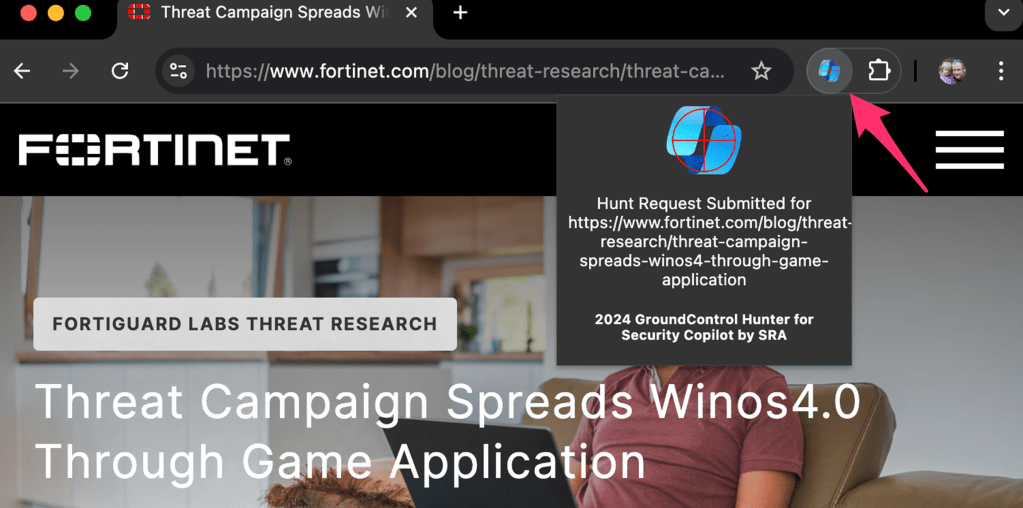
This is one of the simplest Chrome plugins imaginable. It simply grabs the current URL from your browser, and executes an HTTPS POST to the endpoint in your Logic App. We will forego explaining how to build a Chrome extension, but here is our our Azure Security Tools Github repo for reference. All you’ll need to do to make it work is paste in the URL from your Logic App trigger.
Finally, let’s see it in action!
As always, please reach out to us with any questions on how to do these fun projects, and feel free to share other cool ideas you’ve put together!

Mike Pinch
Mike is Security Risk Advisors’ Chief Technology Officer, heading innovation, software development, AI research & development and architecture for SRA’s platforms. Mike is a thought leader in security data lake-centric capabilities design. He develops in Azure and AWS, and in emerging use cases and tools surrounding LLMs. Mike is certified across cloud platforms and is a Microsoft MVP in AI Security.
Prior to joining Security Risk Advisors in 2018, Mike served as the CISO at the University of Rochester Medical Center. Mike is nationally recognized as a leader in the field of cybersecurity, has spoken at conferences including HITRUST, H-ISAC, RSS, and has contributed to national standards for health care cybersecurity frameworks.