




While investigating methods to prevent lateral movement, we evaluated WMI namespace security descriptors as a potential candidate. Despite this ultimately not working out, we were able to instead use DCOM launch and activation permissions to achieve our goals. In this piece, we will briefly discuss our findings.
Within WMI, namespaces are securable objects. Namespace security descriptors are primarily set via the WMI Control MMC application or by modifying the namespace MOF.
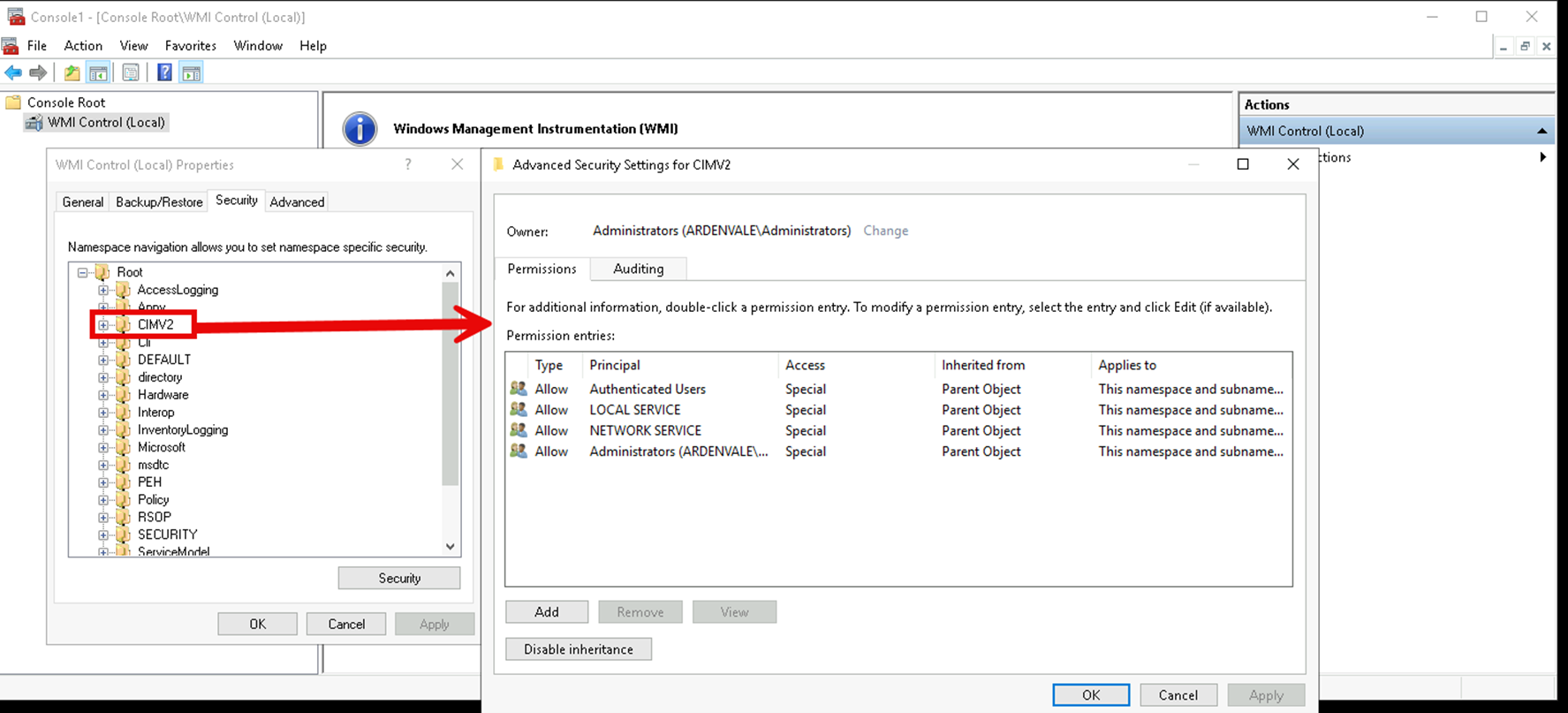
Viewing the CIMV2 namespace security descriptor in WMI Control
These descriptors should provide more granular control for specific actions. However, in our testing, they did not affect a remote user’s ability to interact with WMI (e.g. creating a process on a remote machine). They are, however, still useful for auditing. The SACL component of the descriptors are honored when actions are performed against the namespace. By configuring a SACL on the root namespace (or select namespaces under the root namespace) then using Windows Advanced Auditing policies you can gain additional insight into the WMI activity via object access logs. NXLog provides a useful guide for configuring WMI auditing here: https://nxlog.co/news-and-blog/posts/wmi-auditing.
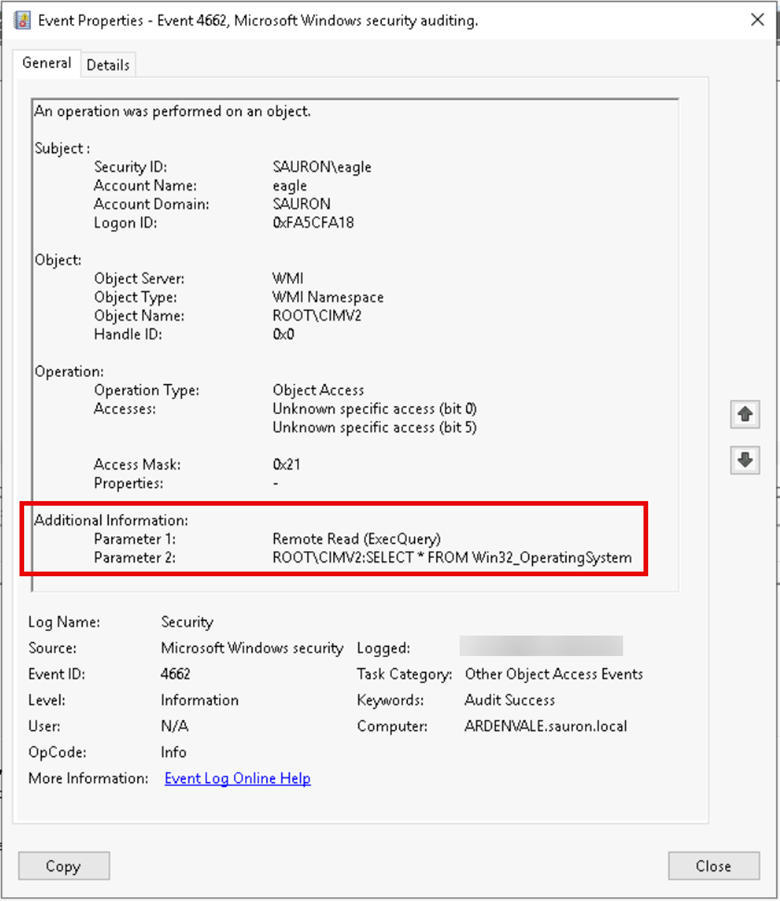
Example audit event for remotely retrieving OS information via WMI
To actually prevent these activities, you can modify the DCOM activation permissions. These can be configured either on a system-wide basis or a per-process basis. You can manage these settings via the Registry or via the Component Services MMC application. For system-wide settings, you can also manage them via Group Policy.
Permissions are broken into two main categories: Launch/activation and access. For WMI-based lateral movement, the activation settings are the relevant category, specifically “Remote Activation”.

Viewing the WMI launch and activation permissions in Component Services
If you configure an explicit deny ACE in this DACL, the target principal(s) will be denied when interacting remotely with the system via WMI:

Denying the “eagle” user “Remove Activation” permissions for WMI
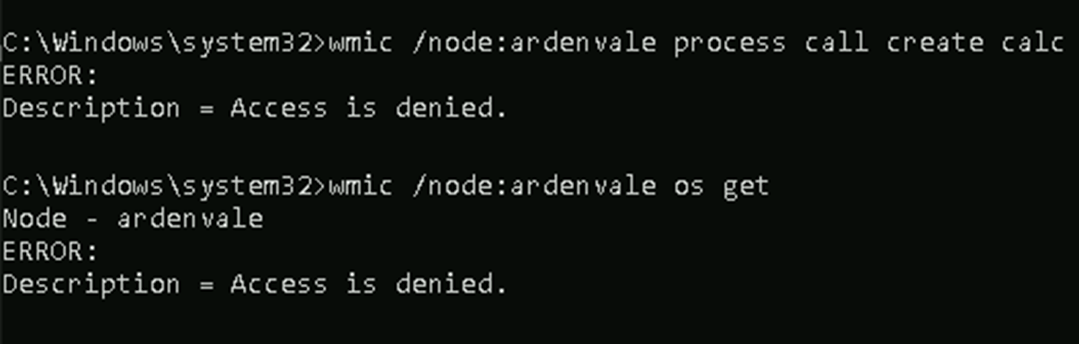
Access denied error when attempting WMI lateral movement after setting deny ACE
- DComPermEx: https://github.com/albertony/dcompermex
- COMThanasia: https://github.com/CICADA8-Research/COMThanasia
Implementing these blocking permissions is unlikely to affect most users outside of IT administrators. However, it may impact service accounts and/or automated processes like IT monitoring solutions. A good starting point could be to configure a SACL on “Remote Activation” then use the generated Advanced Audit logs to identify legitimate use. After a sufficiently long benchmarking period, create an explicit allow for the legitimate uses and deny all other access.
If you are looking for a way to curb WMI-based lateral movement – and especially if you do not want a dependency on another control, such as a firewall – DCOM permissions may prove to be a useful method that works with traditional configuration management (e.g. GPO).
If you have any questions or concerns, feel free to reach out to me on Twitter at @2xxeformyshirt.

Evan Perotti
Evan specializes in network penetration testing, web application security testing, open source intelligence gathering, and security testing process automation.
He has experience in a variety of industries including retail, insurance, financial services, and healthcare.