




VECTR is SRA’s flagship software for running and reporting on purple team exercises. Private companies and public institutions around the world use VECTR to improve their security posture, and SRA’s dev team is proud to support it.
Accessibility is one aspect of software development. Examples of software accessibility include ensuring:
- text has sufficient contrast from background, e.g. for colorblind users
- the app can be fully navigated using a keyboard, e.g. for users with motor disabilities
- the app can be navigated using screen reader software, e.g. for users with vision impairments
Web apps like VECTR can look to Web Content Accessibility Guidelines for a set of standards. WCAG has three levels of compliance to guide web developers, ranging from “A” (the simplest to implement, covers the least accessibility) to “AAA” (challenging to implement, but covers more categories of accessibility). To put these levels in perspective, the US federal government requires public schools and universities to meet WCAG AA compliance. While there are no analogous federal laws for private companies, accessibility ensures the most users have equal access to information and functionality, so it’s worth implementing!
VECTR’s first public release came in early 2017, and like many scrappy cybersecurity tools that start small but grow over time, it wasn’t initially built with accessibility in mind. Fast-forward to 2025, VECTR has grown into a full-featured enterprise application. Retrofitting accessibility into existing enterprise apps is challenging but it can be done! That’s what I set out to do earlier this year.
In scoping the 3-week sprint, I limited my work to target WCAG 2.2 AA for two specific categories of accessibility: keyboard navigation and screen readers. In this blogpost, I’ll step through how I approached the former.
Keyboard navigation is straightforward to test – unplug your mouse, avoid your touchpad, and try to use the application with only a keyboard. Where do you get stuck?
In VECTR, most lists have “edit” and “delete” buttons for each list item that become available when the mouse cursor hovers over that item. Does that mean keyboard users are out of luck for editing and deleting?
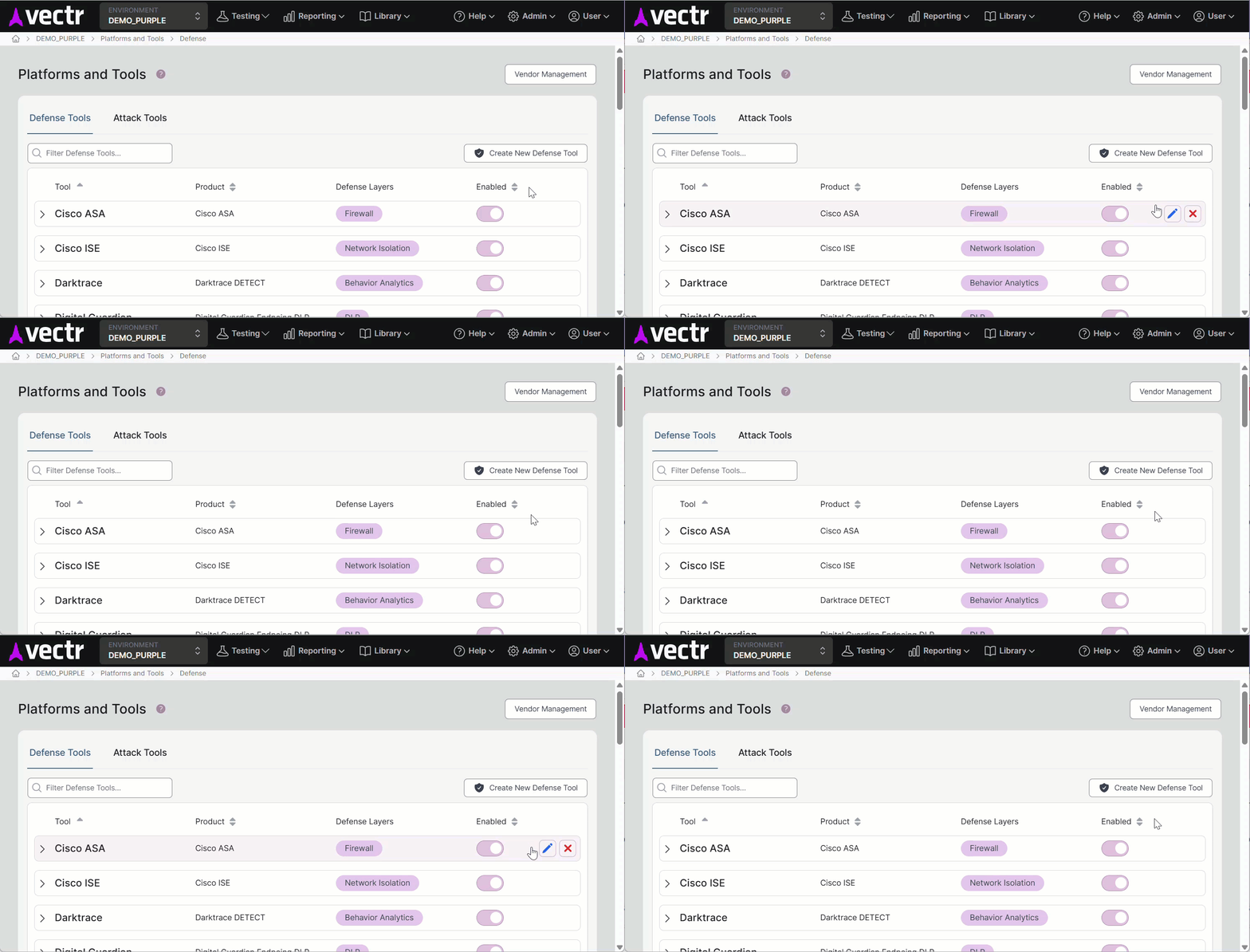
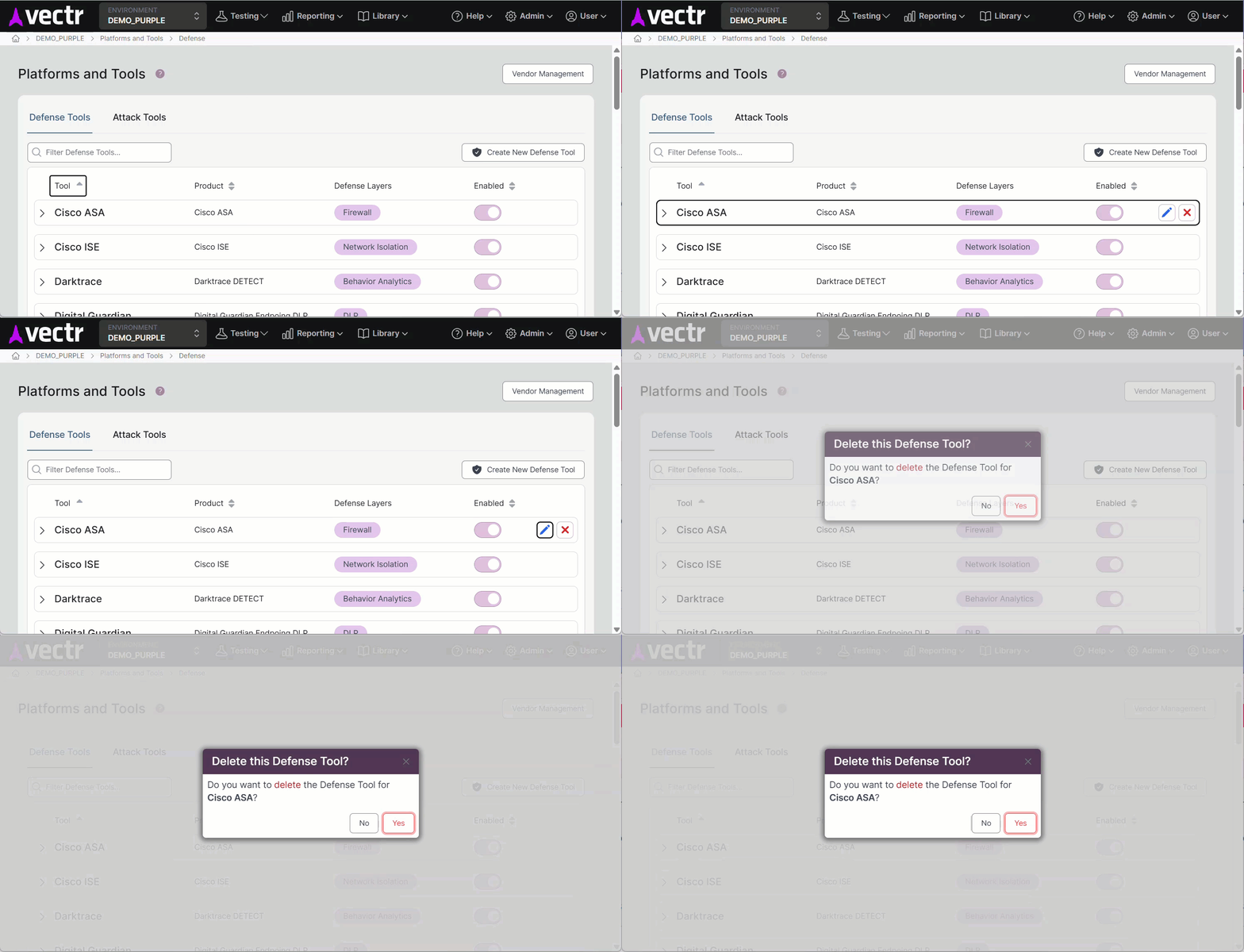
Well, initially yes, but we can toggle button availability when the containing list item has not only :hover but also :focus-within, allowing the buttons to appear and be navigated to without needing a mouse.
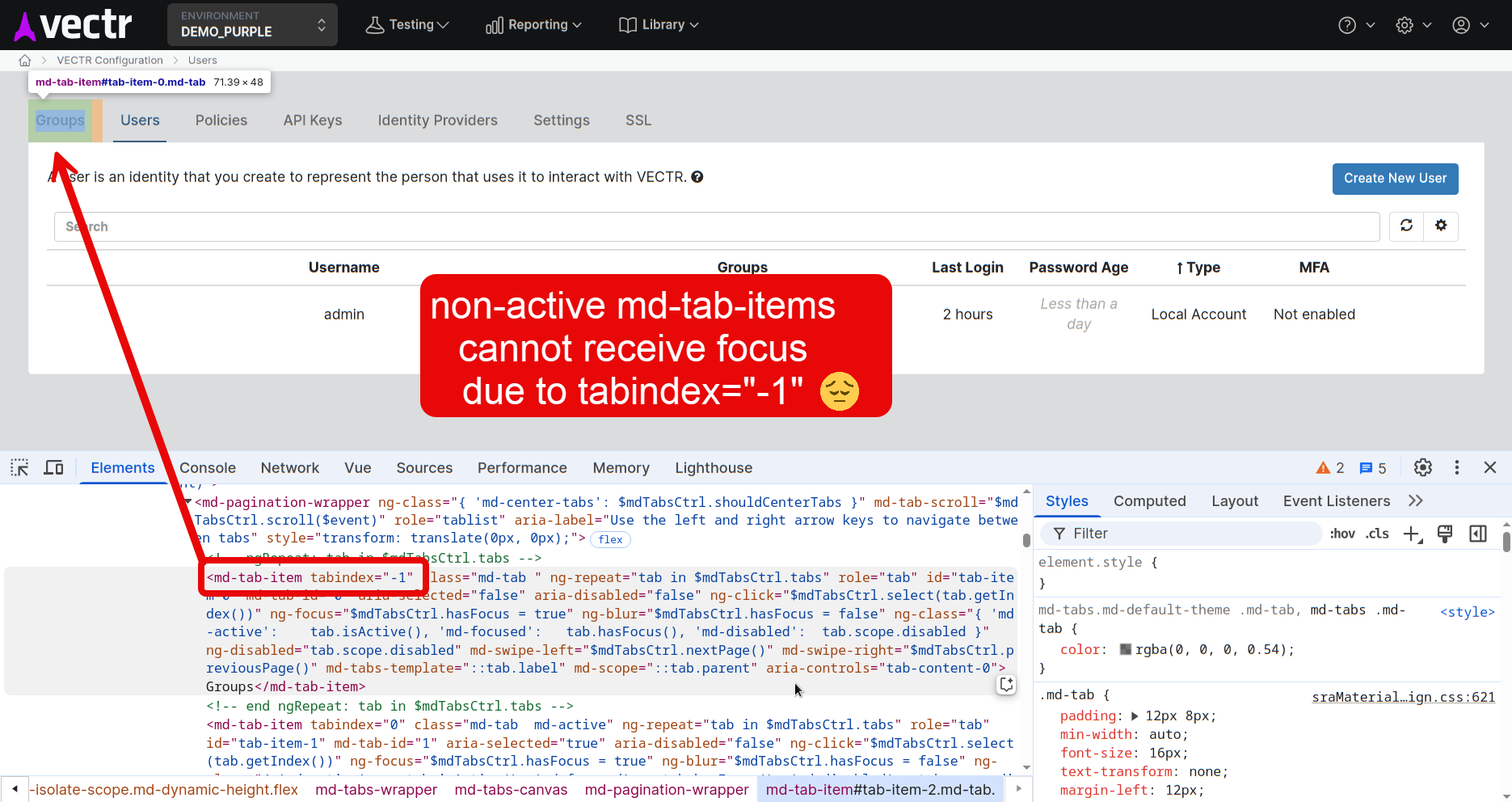
Sometimes external UI libraries limit accessibility in ways that are less easy to fix. In this example, this tabbed UI is not keyboard accessible because the library explicitly sets tabindex="-1" on non-active tabs.
When this happens, options include filing a bug report with the library maintainer and waiting for them to address it, patching the issue yourself, or replacing the library with an alternative. With VECTR, we’ve used each of these approaches at different times.
By the end of my 3-week sprint, I hadn’t met every accessibility goal I’d set, but VECTR scored better on WebAIM’s WAVE tool than when I started, and that’s a win!
Building accessible applications is challenging but worthwhile. It expands who can use the app, and results in an app that’s more usable for everyone.

Dan Guzek
Dan is a software developer focusing on UI and UX in SRA’s web applications.
He combines a research background in human-computer interaction and applied cognitive modeling with 10+ years of software development experience in industry and OSS alike.
Prior to joining SRA, Dan was a technology researcher and lab manager at Penn State’s school of Information Sciences and led development on multiple open source software projects on the side.